AIFoodTracker Support
Need help with AIFoodTracker? Find answers to common questions below, or contact us directly.
Getting Started
How does AI photo analysis work?
Take a photo of your meal and tap Analyze. The AI identifies each food item, estimates portion sizes, and looks up nutritional data automatically.
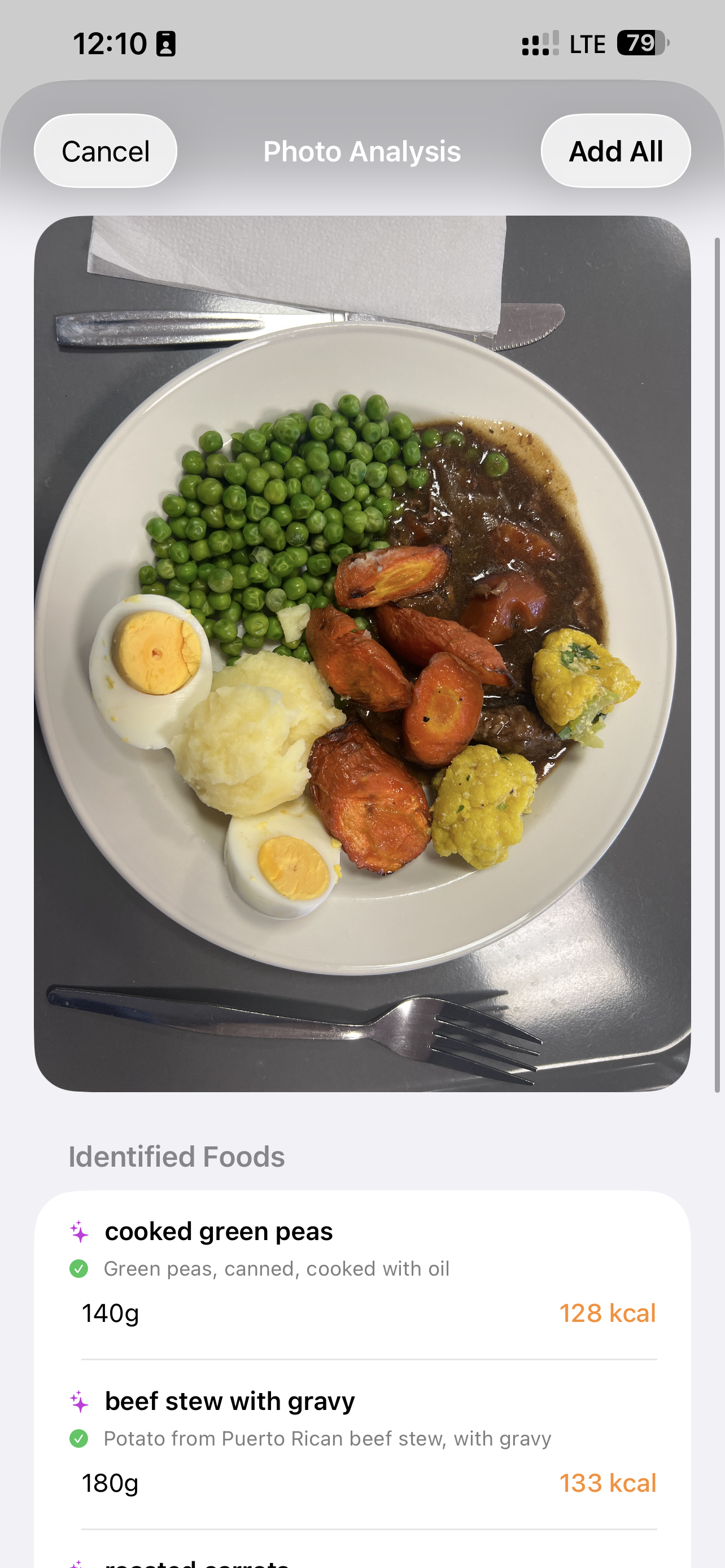
You can review and adjust any item before saving to your food log.
How do I set my daily calorie and macro goals?
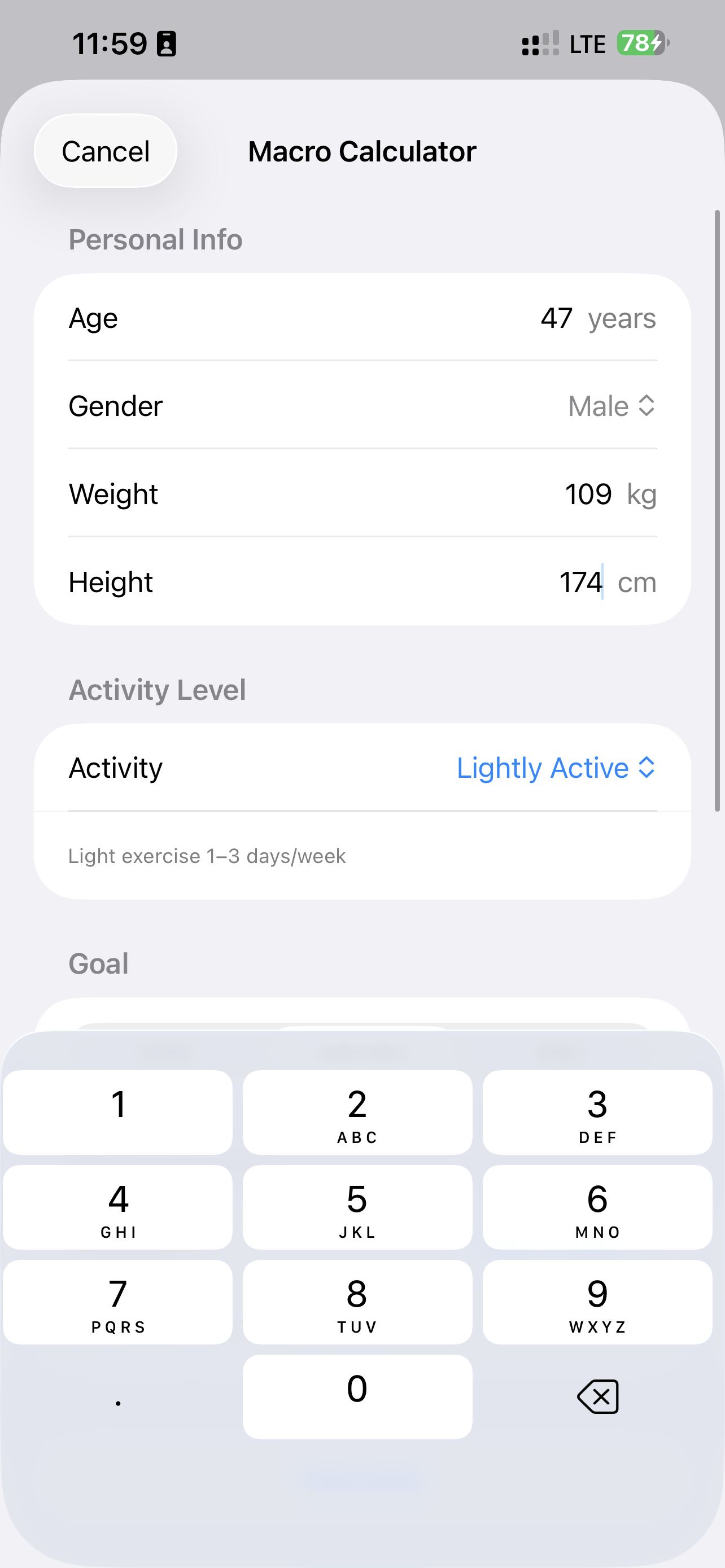
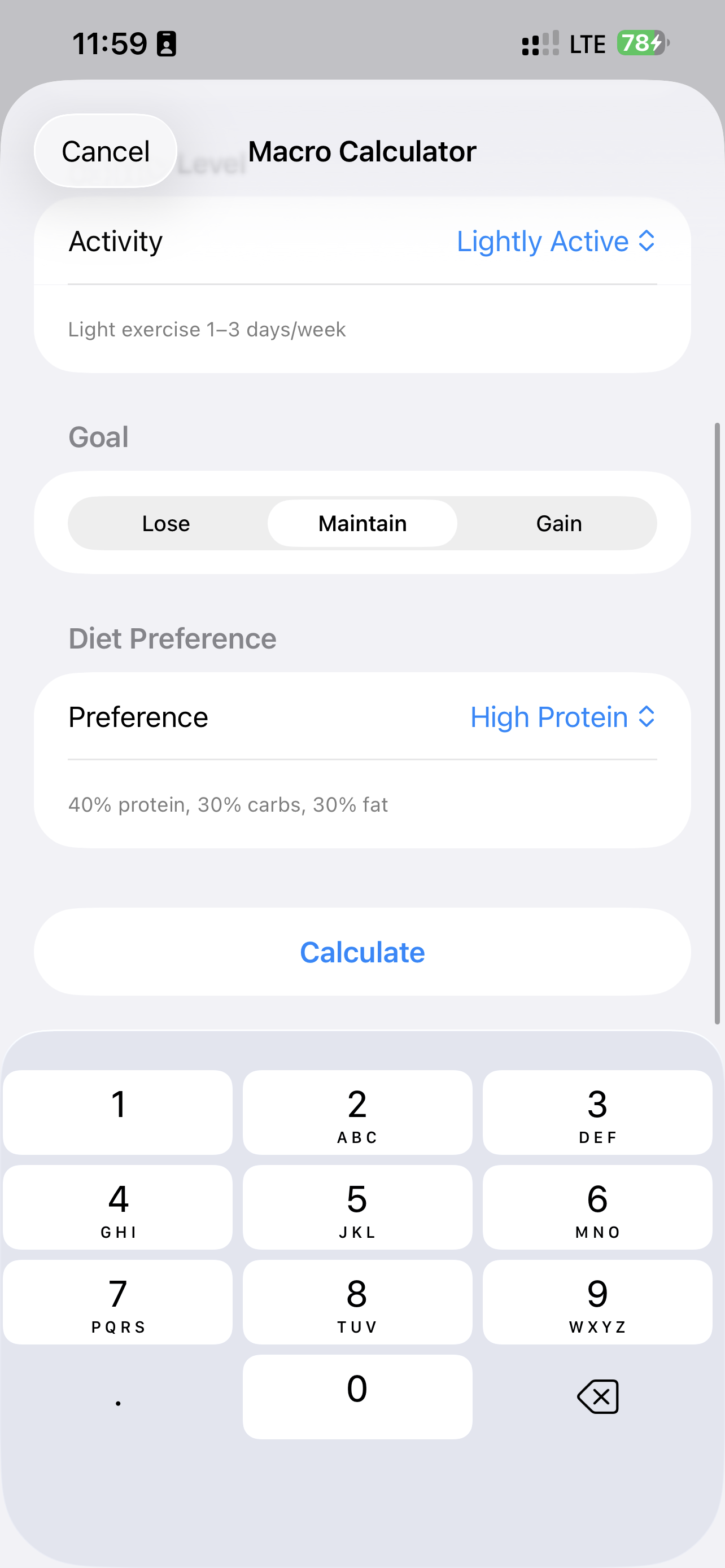
Go to Settings > Macro Calculator. Enter your age, weight, height, activity level, and goal (lose, maintain, or gain). Choose a diet preference and tap Calculate.
The calculator uses the Mifflin-St Jeor equation to estimate your BMR and TDEE, then adjusts for your goal.
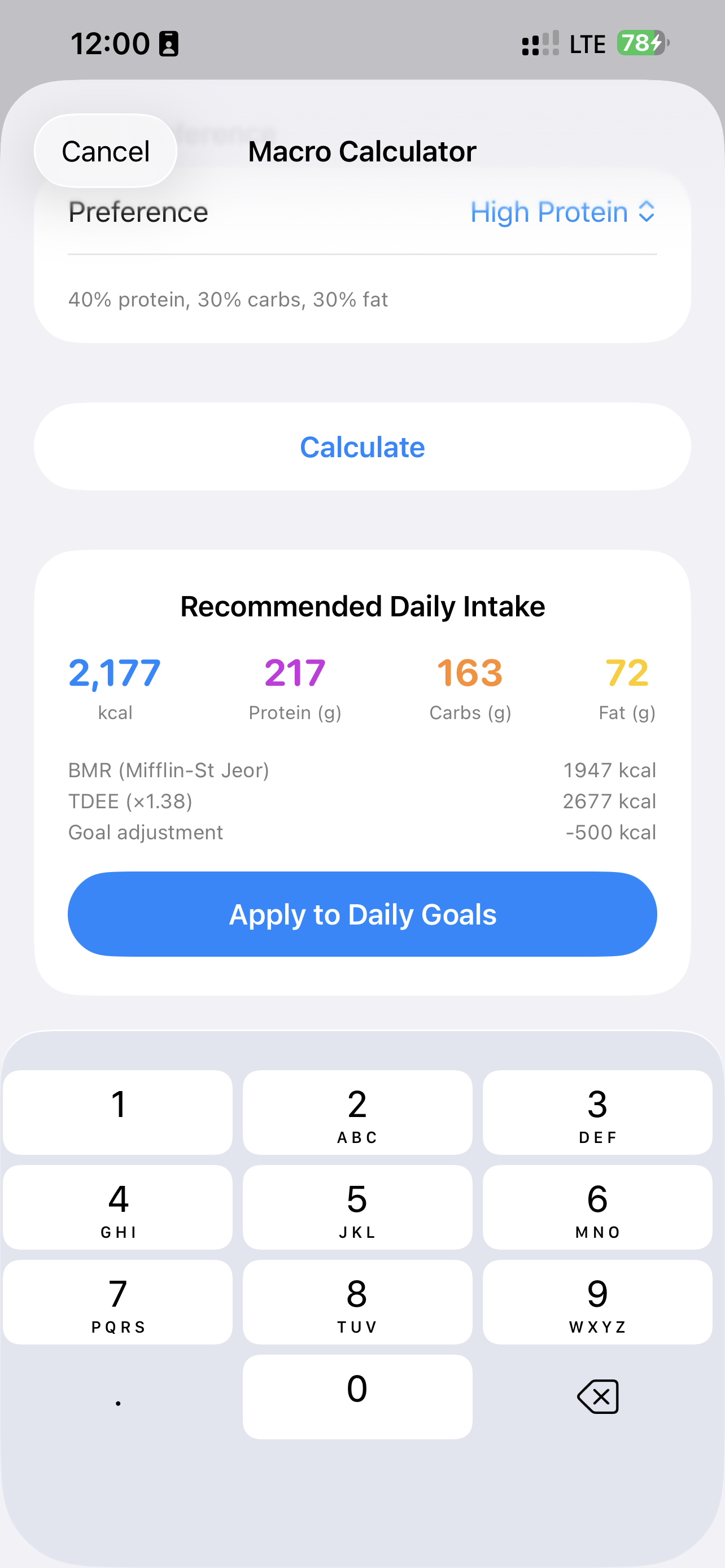
Tap Apply to Daily Goals to set these as your tracking targets.
How do I log a meal manually?
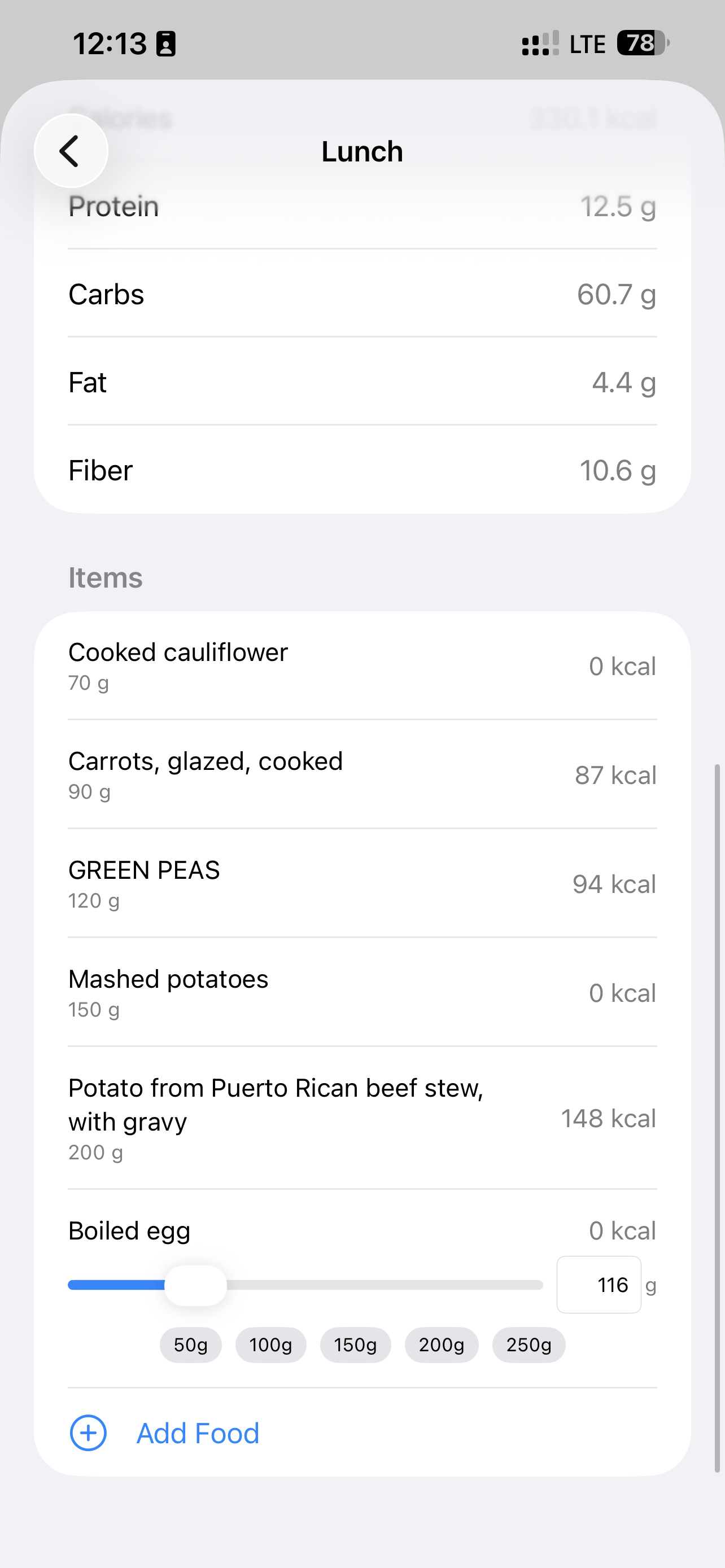
Go to Food Log, tap +, and choose a meal type (Breakfast, Lunch, Dinner, or Snack). Search for foods by name or scan a barcode, then adjust the portion size.
AI Photo Analysis
How many free analyses do I get?
Free users get 20 AI photo analyses total (up to 3 per UTC day). Premium subscribers get unlimited analyses through our server while subscribed. If you have your own OpenAI or OpenRouter API key, you can use it for unlimited analyses with no server quota.
How do I use my own API key?
Go to Settings > Advanced, choose an AI Provider (OpenAI or OpenRouter), and enter your key. On OpenRouter, pick a model. Once set, cloud photo analyses use your key directly — no server quota applies. You pay that provider.
The AI identified a food incorrectly — what can I do?
After analysis, tap any food item to edit its name, portion size, or swap it for a different match from the nutrition database. You can also remove items or add new ones manually.
Food Logging & Nutrition
Where does the nutritional data come from?
AIFoodTracker cross-references multiple sources for accuracy:
- USDA FoodData Central — the primary database
- Open Food Facts — community-contributed data, especially good for packaged foods
- Local Food Database — your own custom foods and recipes
How do I add custom foods?
Go to Settings > Local Food Database > Add Food. Enter the food name and nutritional values per 100g. Your custom foods appear in search results alongside database results.
How does the barcode scanner work?
In the Food Log, tap + then the barcode icon. Point your camera at the barcode on any packaged food. The app searches USDA and Open Food Facts for a match.
Weight Tracking
How does the weight forecast work?
The app uses your logged calorie intake and weight measurements to project a trend line. It accounts for your actual eating patterns, including fasting days, to give you a realistic forecast.
What units are supported?
Both kilograms and pounds. Change your preference in Settings > Weight Unit.
Fasting
How do I log a fast?
In the Food Log, tap + and choose Fasting. Select the start time and duration (8 to 24 hours). Fasting entries help the weight forecast distinguish between intentional fasting and forgotten logging.
Subscription & Billing
What does Premium include?
Premium removes the free-tier AI analysis caps on server-side photo analysis (unlimited while subscribed). All other features — manual food logging, weight tracking, fasting, charts, barcode scanning, and the local food database — are completely free.
How much does it cost?
- Monthly: $2.99/month USD (local App Store price may vary)
- Yearly: $19.99/year USD (save ~44%; local App Store price may vary)
How do I cancel my subscription?
Subscriptions are managed through Apple. Go to iPhone Settings > [Your Name] > Subscriptions > AIFoodTracker > Cancel.
How do I restore my purchase on a new device?
Go to Settings > Subscription > Restore Purchases. Your subscription status syncs through your Apple ID.
Privacy & Data
Where is my data stored?
All data stays on your device. If you have iCloud enabled, it syncs to your personal iCloud account via CloudKit. We never have access to your data.
What happens when I take a photo for analysis?
The meal photo is sent to the PatakoLabs API proxy for food identification (which may call OpenRouter or OpenAI on our servers). No photos are stored on our servers. See our Privacy Policy for full details.
Do you track or sell my data?
We do not create traditional user accounts and we do not sell your data. Food logs, weight history, and meal photos stay on your device (and your iCloud if you enable sync). Photos leave the device only for AI recognition.
The app also sends product events under a random id stored on your device —
paywall views, purchase results, unlocks, analysis reliability metrics, and
aggregated meal nutrition metrics (ingredient names and calorie/macro totals)
so we can improve matching quality. That id is the same token Apple receives as
appAccountToken, so refunds can be matched to in-app use. Events do not
include meal photos, raw audio, weight values, or your email. Full details:
Privacy Policy.
Do you share usage with Apple for refunds?
Only if you turn on the optional toggle in the prompt shown after auto-renew is disabled. Then we may tell Apple approximate hours used and account age when Apple asks for consumption information. You can dismiss the prompt without sharing.
Troubleshooting
The app won't sync across my devices
Make sure iCloud is enabled on all devices: iPhone Settings > [Your Name] > iCloud > Apps Using iCloud and ensure FoodTracker is toggled on.
AI analysis is slow or failing
- Check your internet connection
- If using BYOK mode, verify your OpenAI API key is valid and has available credits
- If using the built-in service, check that you have not used all 20 free lifetime analyses or today's 3-per-day UTC cap (free tier), or that your Premium subscription is active
The app crashes on launch
Try deleting and reinstalling the app. If the issue persists, contact us with your device model and iOS version.
Contact Us
If you can't find an answer here, reach out:
- Email: support@patakolabs.com
- Website: patakolabs.com
We typically respond within 24-48 hours.